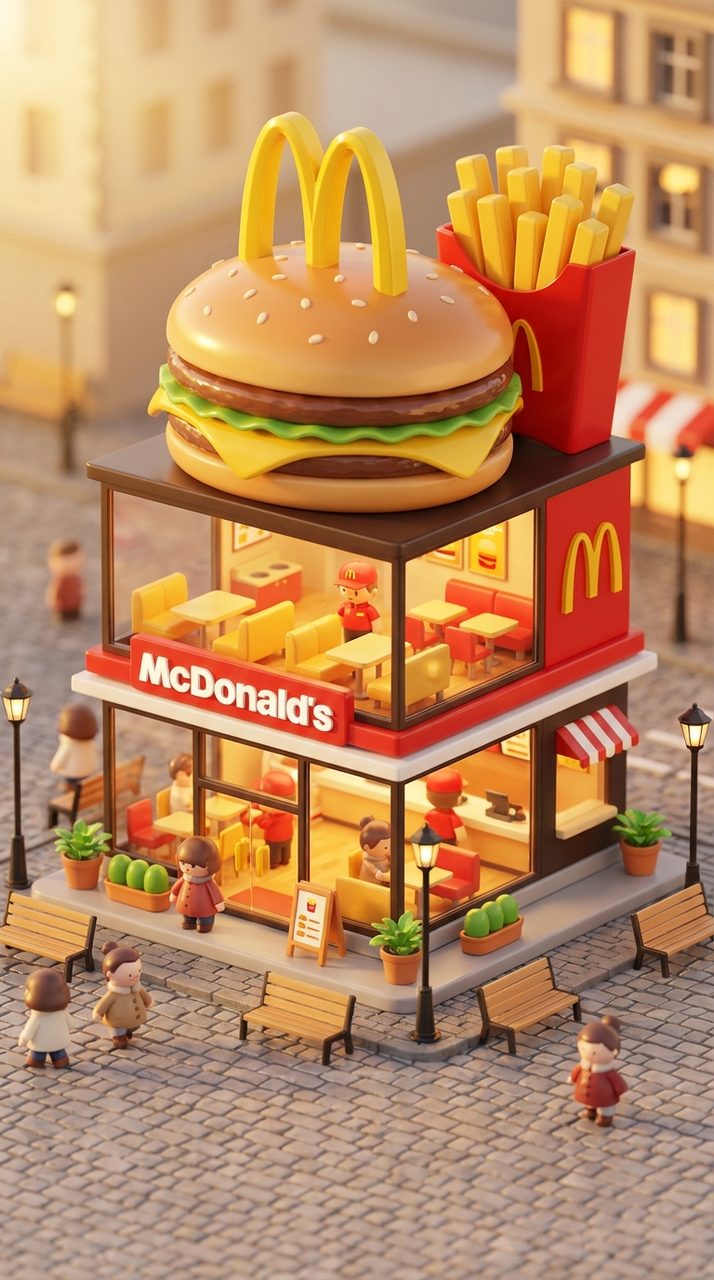
Whimsical 3D Brand Miniatures
Turn any brand into a two-storey chibi concept store shaped like its own product — blind-box toy aesthetic, warm interior visible through glass, soft afternoon light.
Provenance: collected from prompts.chat; prompt text is released under CC0 1.0 (public domain), contributor @serkanozcan. The image above is the source site’s own example output for this prompt, downloaded and re-encoded locally (long edge 1280) rather than hot-linked.
Prompt
3D chibi-style miniature concept store of ${Brand Name:Mc Donalds}, creatively designed with an
exterior inspired by the brand's most iconic product or packaging (such as a giant
${Brand's core product:chicken bucket, hamburger, donut, roast duck}). The store features two
floors with large glass windows clearly showcasing the cozy and finely decorated interior:
{brand's primary color}-themed decor, warm lighting, and busy staff dressed in outfits matching
the brand. Adorable tiny figures stroll or sit along the street, surrounded by benches, street
lamps, and potted plants, creating a charming urban scene. Rendered in a miniature cityscape
style using Cinema 4D, with a blind-box toy aesthetic, rich in details and realism, and bathed
in soft lighting that evokes a relaxing afternoon atmosphere. --ar 2:3

Brand name: ${Brand Name:Mc Donalds}
Why this prompt works
The load-bearing idea is “a store shaped like the product.” That single instruction generates the whole concept — it is what makes the result read as a brand miniature rather than a generic shop with a logo on it. Three supporting choices make it hold:
- Glass as a display case.
two floors with large glass windows clearly showcasing the interiorforces the model to actually build an interior instead of faking it with a glow. - Colour anchored to the brand, not named.
{brand's primary color}-themed decormakes the palette derive from the brand itself — so swapping brands re-tints the whole image for free. - A named renderer and a named aesthetic.
Cinema 4D+blind-box toy aestheticis a much tighter target than “3D cute”. Blind-box implies specific proportions: oversized head-like volumes, simplified faces, rounded edges.
The little human details (tiny figures stroll or sit, benches, street lamps, potted plants) are doing scale work — they are what tells the eye this is a miniature and not a
full-size building.
Note the --ar 2:3 at the end: an explicit aspect ratio, because a two-storey storefront is a
vertical subject and the model will otherwise default to square.
How to adapt it
- Swap
${Brand Name}and${Brand's core product}together — the shape instruction only works if the product is something with a recognisable silhouette (bucket, burger, donut, boot). - For a brand with no iconic object, replace the shape clause with a material clause:
exterior clad in ${material:glazed ceramic tiles}. - Drop
--ar 2:3to--ar 16:9if you want the street scene to dominate the storefront. - Add
no text, no logosif you want an unbranded version for layout mockups.